
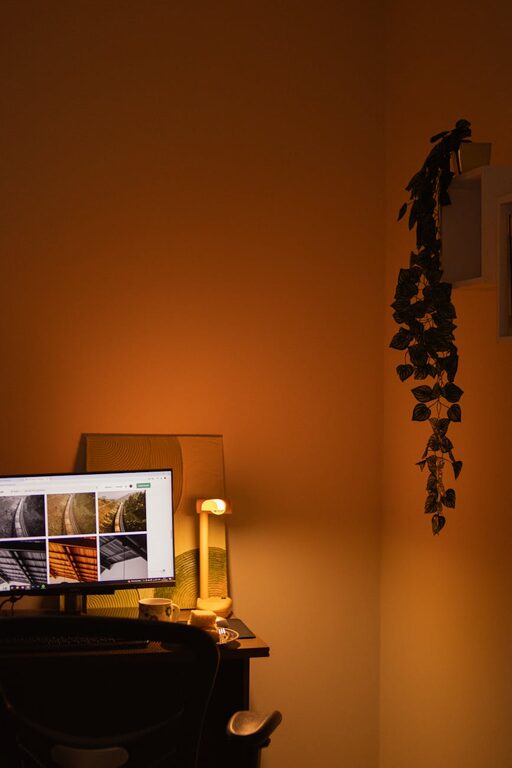
Creating a home workspace that is both cozy and functional can transform your work-from-home experience. Whether you’re a remote employee, freelancer, or student, having a dedicated area designed to meet your needs can boost productivity and improve your overall well-being. Here are some helpful tips to design a workspace that feels comfortable without sacrificing efficiency.
Choose the Right Location
Selecting the perfect spot in your home for your workspace is the first important step. Consider areas that offer:
– Natural light: Placing your desk near a window can reduce eye strain and elevate your mood.
– Low foot traffic: A quiet corner helps minimize distractions and supports concentration.
– Space availability: Ensure there is enough room to accommodate your desk, chair, and necessary tools while allowing freedom of movement.
If space is limited, look for creative areas like a nook, a section of the living room, or even a converted closet.
Invest in Ergonomic Furniture
Comfort and health are critical for long hours spent working. Ergonomic furniture supports good posture and reduces physical strain.
– Ergonomic chair: Choose one with adjustable height, lumbar support, and comfortable cushioning.
– Desk height: Your desk should allow your arms to rest at a 90-degree angle while typing.
– Monitor placement: The top of your screen should be at or just below eye level, about an arm’s length away.
Good ergonomic setup prevents fatigue and discomfort, helping you stay focused throughout the day.
Optimize Lighting
Adequate lighting is essential to reduce eye strain and create a cozy atmosphere.
– Natural light: Make the most of daylight, but avoid glare on your computer screen.
– Task lighting: Use a desk lamp with adjustable brightness to target specific areas.
– Ambient lighting: Soft, warm lighting helps create a welcoming environment that reduces stress.
Combining these lighting options allows you to adjust based on time of day and work requirements.
Keep It Organized
An organized workspace improves efficiency and keeps distractions at bay.
– Storage solutions: Use shelves, drawers, or filing cabinets to keep documents and supplies neatly stored.
– Cable management: Tidy cables with clips or sleeves to prevent tangling and reduce clutter.
– Minimalism: Keep only essentials on your desk to create a clean, inviting space.
A clutter-free desk boosts mental clarity and helps maintain a productive mindset.
Add Personal Touches
Making your workspace feel inviting can increase comfort and motivation.
– Plants: Incorporate small indoor plants to add life and improve air quality.
– Artwork or photos: Display images or quotes that inspire and uplift you.
– Textiles: Use a cozy rug or cushions to add warmth and texture.
These thoughtful details make your workspace a place you enjoy spending time in.
Use Technology Wisely
Equip your home office with the right tools to work efficiently.
– Reliable internet: A strong connection is vital for virtual meetings and online tasks.
– Quality peripherals: Invest in a good keyboard, mouse, and headphones to enhance comfort and performance.
– Charging stations: Keep devices charged and ready with designated spots or docks.
Keeping technology organized and up-to-date helps prevent interruptions and frustration.
Maintain Boundaries
A cozy workspace also means clear separation between work and personal life.
– Set a schedule: Define work hours to avoid burnout.
– Create a routine: Start and end your day with rituals that help transition in and out of work mode.
– Signal availability: Use signs or closed doors to let others know when you are busy.
Establishing boundaries promotes balance and improves both productivity and relaxation.
—
Creating a cozy and functional home workspace doesn’t have to be complicated. By focusing on location, comfort, lighting, organization, personalization, technology, and boundaries, you can build an environment that supports your work and well-being. Start with small changes and customize your space to fit your unique style and needs for the best results.